Software examples and libraries for handling time
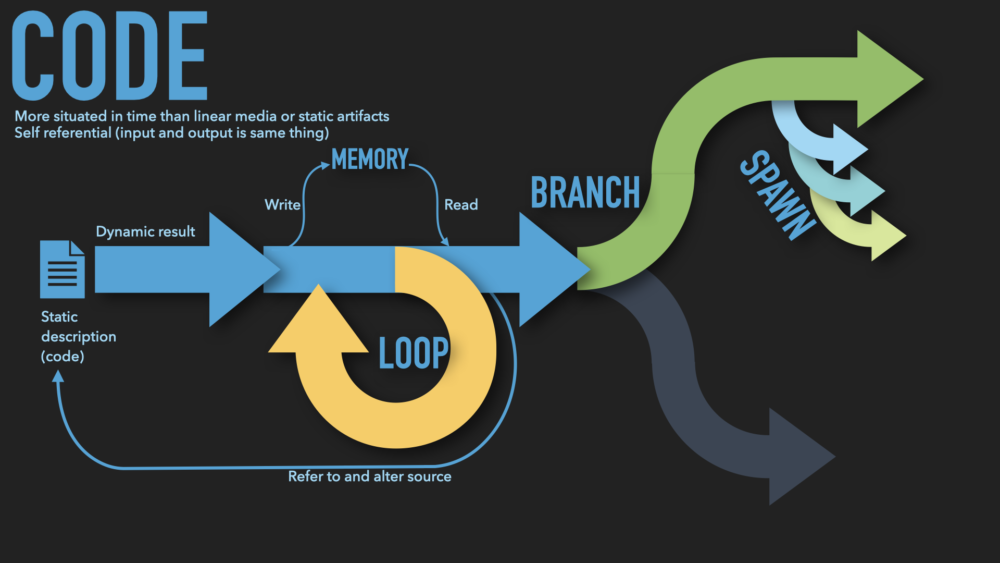
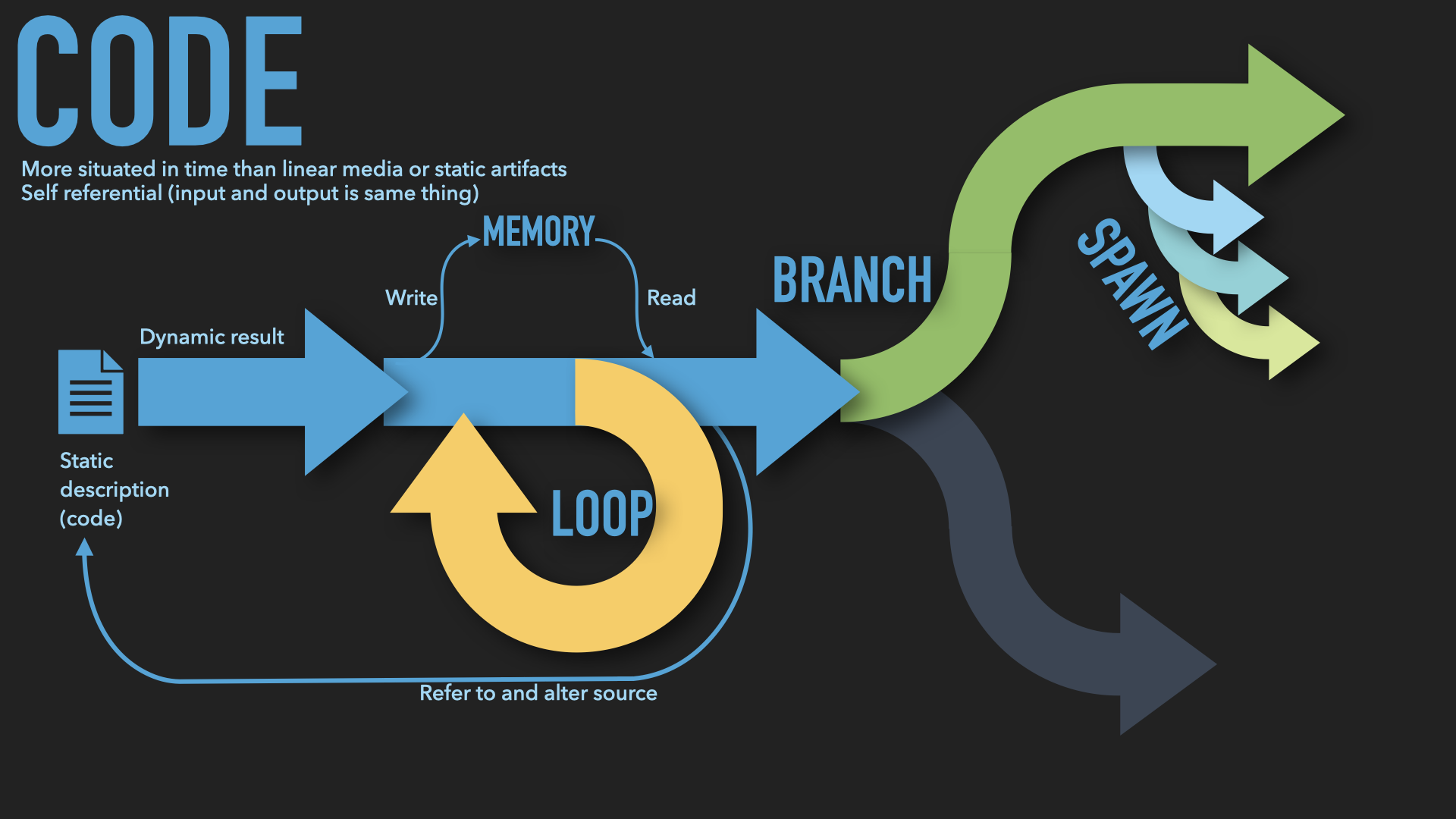
Code in a machine is both a static source and a dynamic execution unfolding in time. The code can loop, branch, spawn, die. The code can read and write to memory. Code is really really in time.
Existing in Time
Code as meta-temporal art form
Computer code is the art form most deeply embedded in time (I’m not impartial). Rovelli says “A rock is an event” and likewise all art exists in time, dynamically, even the most seemingly static objects. A painting ages, physically affected by humidity and ultraviolet light, its reception and relevance by the culture changing around it. Music and film are time-based media, unfolding from a starting point to a conclusion. But code is meta-temporal, existing both now as a static record and as a dynamic future execution.
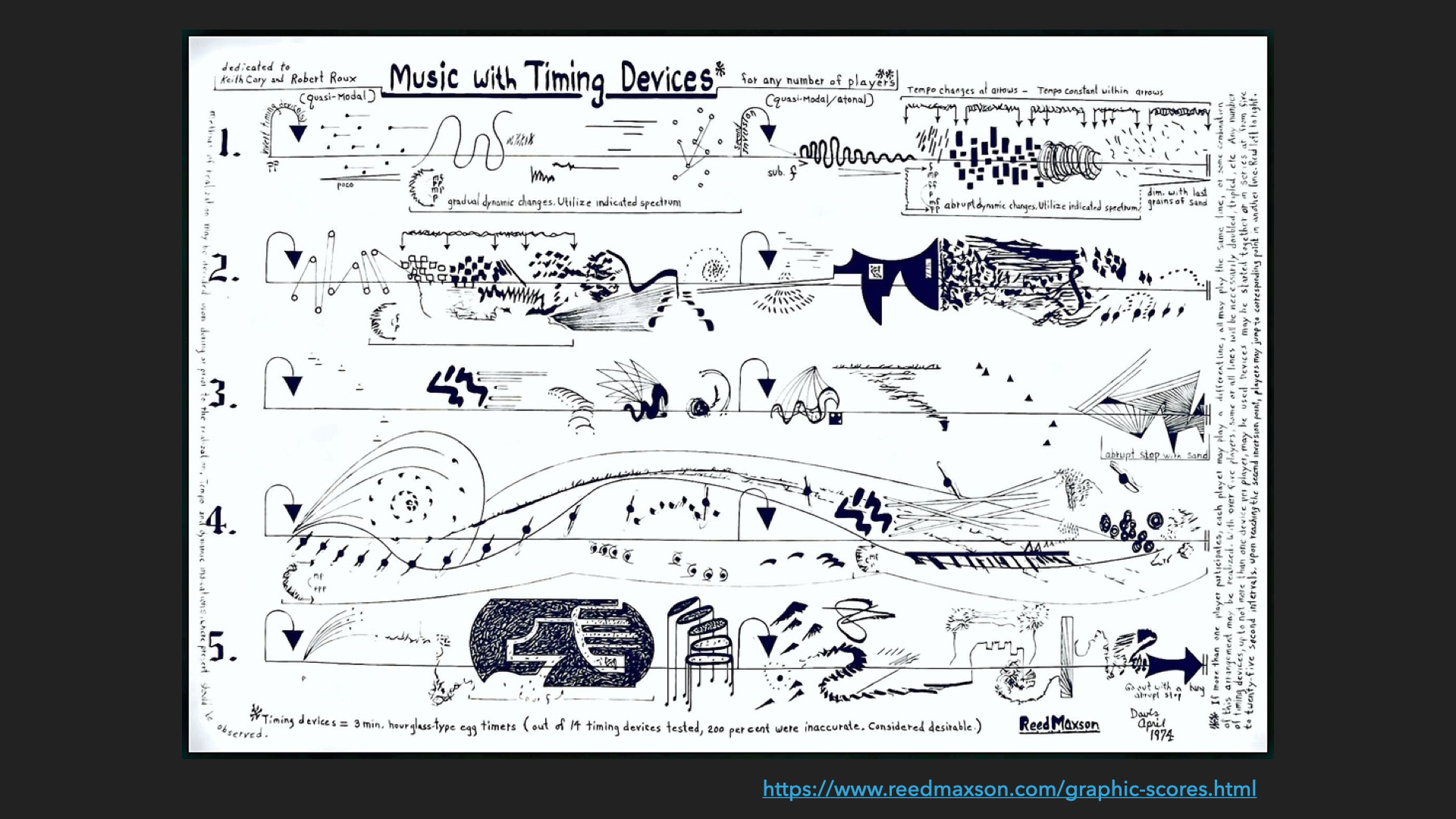
A music score is like this, but less so. The score is a static object that through interpretation and performance becomes an event. A score might contain branching and repeating structures like D.C. al fine, or be an experimental collection of phrases and motifs with wide latitude left to the players, as in Julian Eastman’s Feminine. But music requires musicians, which are not themselves music.
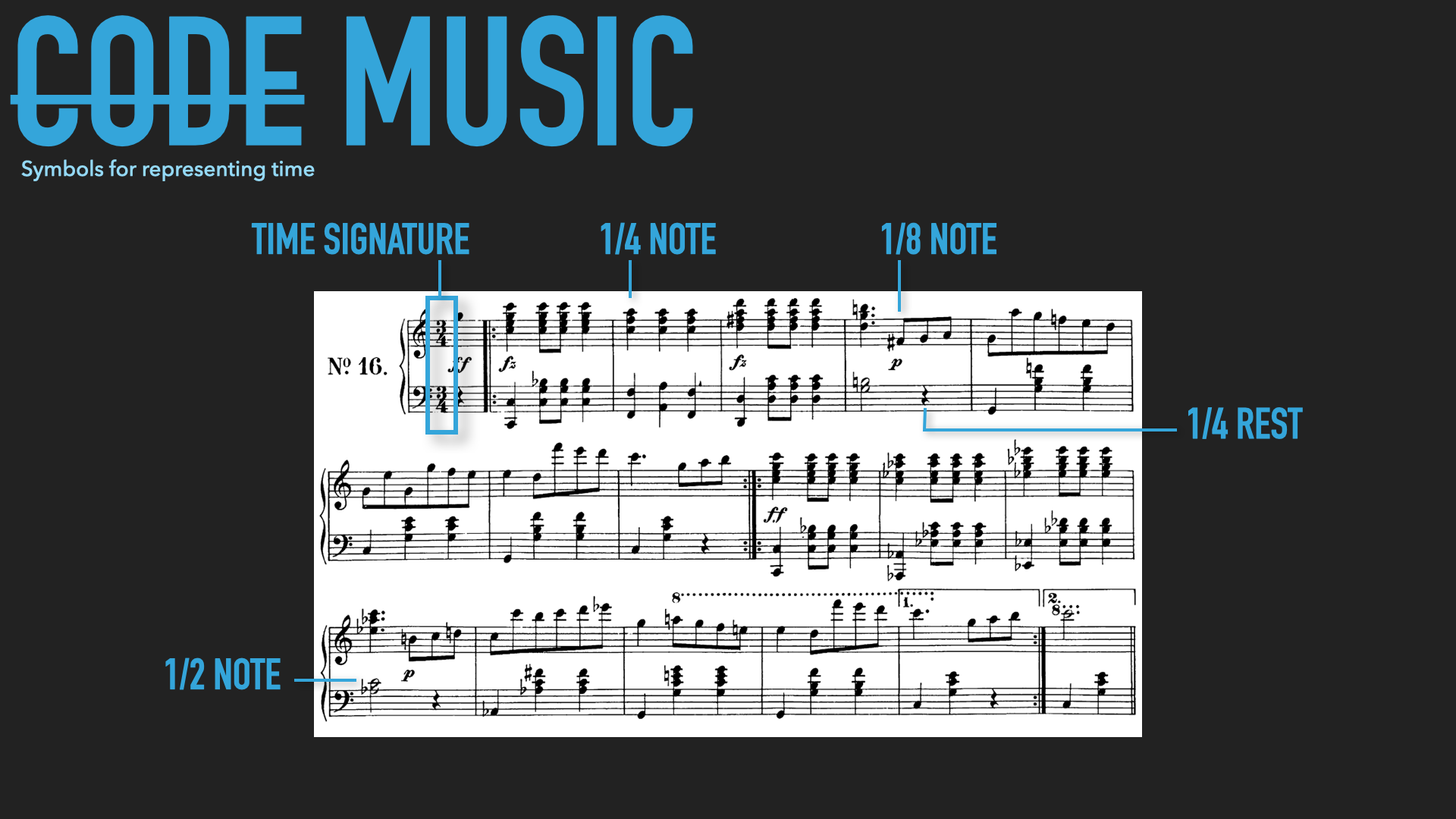
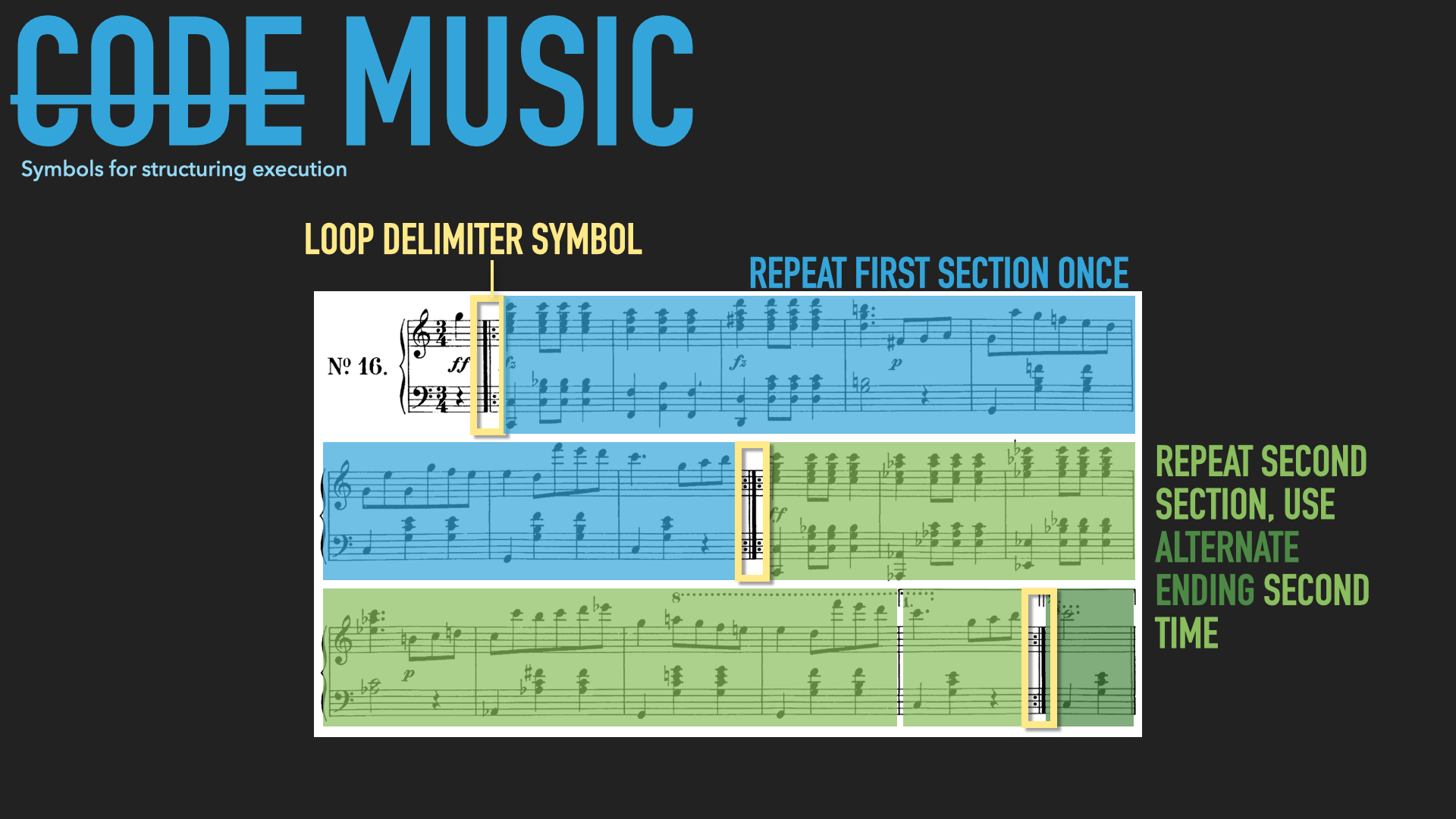
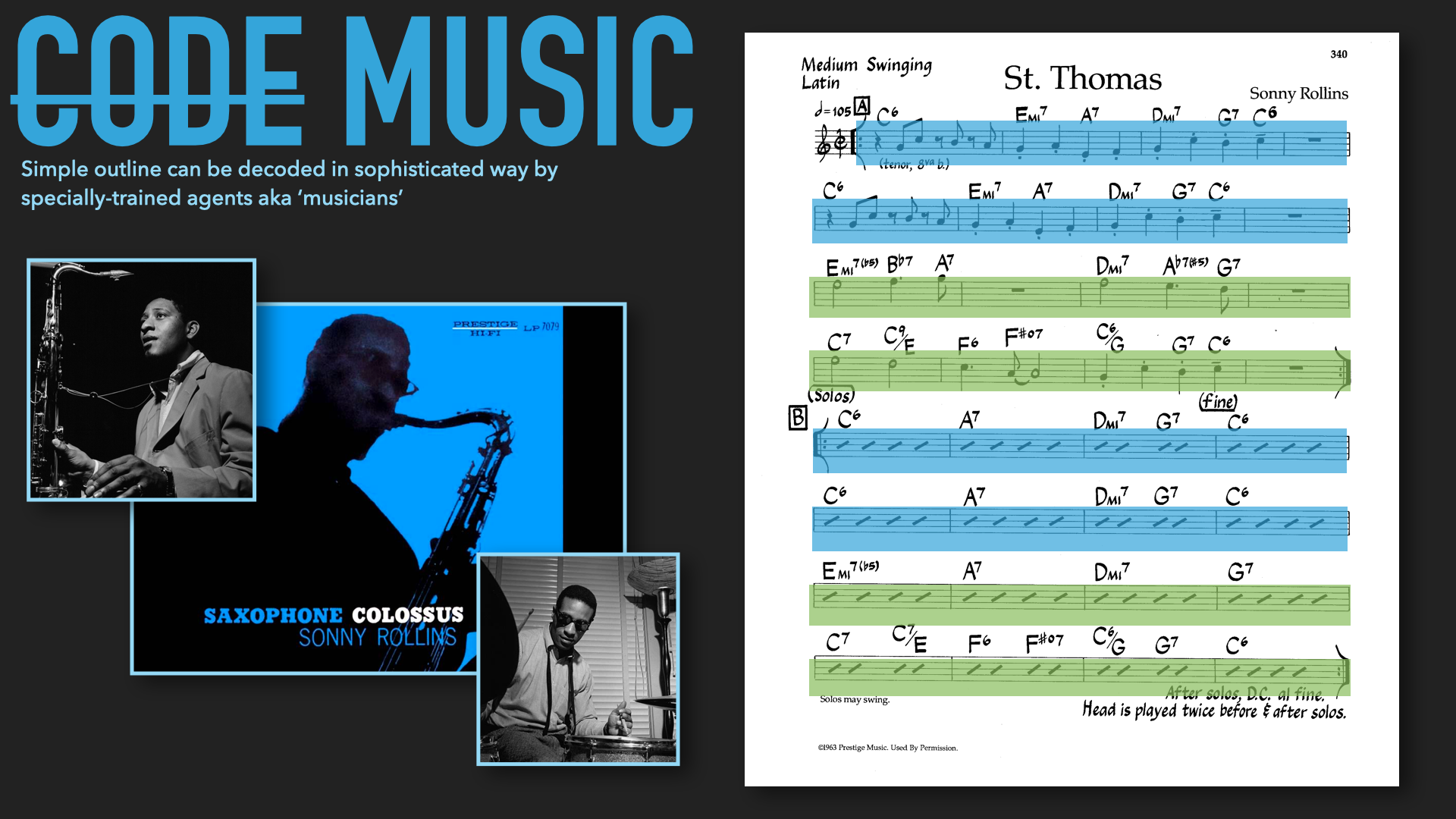
In the digital domain, code is a form of data, and data is the result of the code. This ouroboros-like self reference sets code apart from music scores and related proto-programming like Jaquard looms. Code can produce itself.
Source code exists as a collection of instructions executed dynamically in time. As the program runs, it can loop, repeating sections of itself, or branch, choosing in the moment from alternative paths. It can write to and read from memory (memory!). Code can refer to and alter its own source, and spawn new threads or entire instances of itself to run as parallel processes.
(Computers can’t – yet – assemble their own hardware from raw materials, but they do a good job of getting us to make it for them…)
A Simple Example from Physical Computing
OK. So code is the most temporally situated art form. Practically, what can we do with this information? I’ve found myself, over years of code-heavy projects, reaching for (or reinventing) a similar set of tools related to more artfully executing code over time. I want to introduce some of those tools here.
Consider Pcomp 101 – press a button and light up an LED. Release the button and the LED turns off. The code is dead-simple and can be done on a single line: just reflect the state of the button to the state of the LED.
This code has no reference to time. Each time through the loop is the same – read the button, set the LED. If we want to do something more artful, we need to incorporate time more meaningfully. How about: press the button, LED fades in; release the button, LED fades out?
Now we add memory in the form of a variable storing the LED’s pulse-width modulated level, from fully off (0% on) to fully on (100% on) or anything in between (within the resolution of our analog output capabilities, 256 states in many chips using 8-bit DACs). We use the variable to set the LED’s output, and use the button state (pressed or not) to decide whether or not to increase or decrease the levels, with a little extra code to avoid going out of bounds above or below our range.
What you might find, if you take the time to do this, is our LED fades in and out now, but really fast. The full transition takes a fraction of a second. Worse – it’s system dependent, in that a fast chip will fade faster than a slow one. (Anybody play the old Sierra graphic adventure games? You could type ‘slow’, ‘fast’, ‘faster’ to set the animation speed – their solution to wildly different system processor speeds!)
We’d like something more elegant. We could add a delay to our loop, and this is a good first draft to get the timing right. But it is a waste of resources to just have the microcontroller sitting idle, and our programs will have difficulty growing into any kind of complexity if they are riddled with delays.
We could work with a higher-resolution variable and fractional increments that get down-sampled to our 8-bit output resolution. Equivalently, we could add a second counter, so that we only increment the variable every n times through the main loop. But it would be nice if we could stop thinking about variable bit-depth or loops within loops and think instead in terms time: ‘Gimme and LED that fades in over 1.5 seconds’.
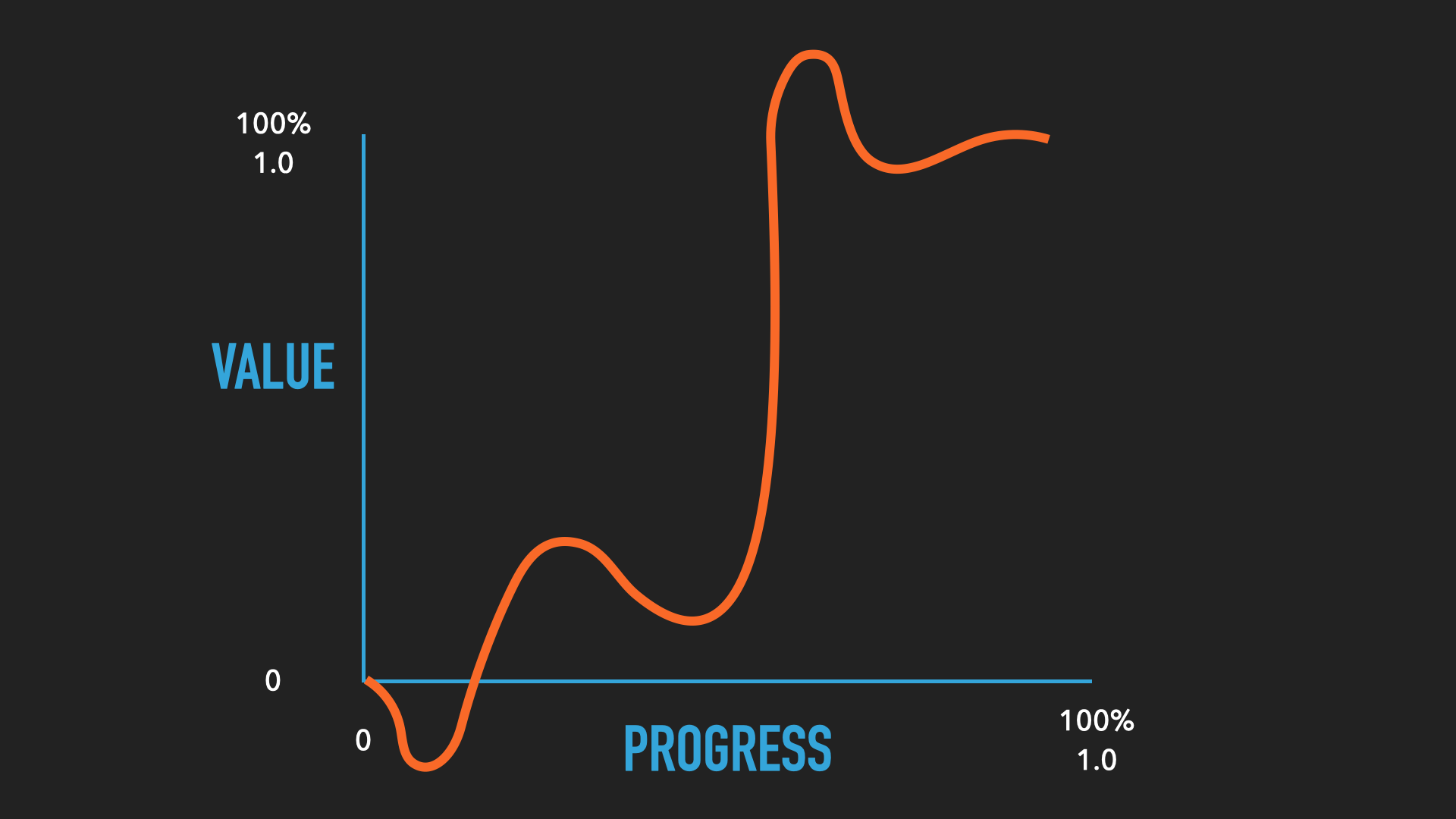
If we ponder this long enough, we might eventually hit on the idea of keying our fading LED to the clock built into the microcontroller. The LED’s state then becomes a function of the time elapsed since the button was pressed:
ledState = (elapsedTime / totalTime) * maximumValue
The term (elapsedTime / totalTime) will go from 0-1 over whatever duration we define as totalTime. Using our 1.5 seconds example, at the start, no time has elapsed, so it equals 0; at the end, 1.5/1.5 = 1, and halfway, .75/1.5 = .5. So this term functions as a kind of percentage that gets applied to the maximum value for the LED.
(I’m leaving as exercises for the reader determining elapsed time from the system time and keeping the output within bounds.)
No we have an easy function in terms of time for our LED. If we want to adjust the speed of the fade we have a variable in terms of seconds that we can use, and our code will work regardless of the frame rate at which the main loop executes.
But – and you knew this was coming – we might find a new problem, and herein lies the craft of what we do. You might find that the fade… doesn’t look quite right. Maybe the LED seems to suddenly jump from off to about halfway on, then quickly goes to basically full brightness and then lingers there. The problem is: we have defined a linear function for a nonlinear system. Our LED may have a non-linearity to how much light it produces given a certain PWM level; our PWM level may have an effective non-linearity in that when coupled with the LED at low levels it does not perceptibly turn it on; and our eyes might have a non-linearity in how bright a certain amount and wavelength of light seems to us. For any number of reasons, we might want to tune our linear function into something little curvier.
At this point we could continue our development, but I’m going to jump to the end, because eventually we would recreate the widely-used set of Penner Easings. You may well have already encountered these in animation software especially, but they are generally applicable to the problem we found above: the need to evolve beyond sudden step changes to more graceful, smooth transitions for any variable.
Penner Easings
Penner Easings are the basis of many software animation packages. We’ll see more detail in class presentations.
I think there are two key elements to processing time gracefully with computation media: the ability to schedule events, and the ability to smoothly change variables. These both sound simple, but can be very nuanced in practice. A good tool combines both: a rich palette of animation “tweens” or easings (always based on Robert Penner’s work) and the ability to group and sequence those in a timeline (preprogrammed or generated algorithmically), along with function callbacks and other event triggers.
Programatic Timelines
Notes in lecture form
Simulations with Delta-T
Notes in lecture form
Software Examples and Libraries
P5 Class examples
I’ve put together a collection of P5 examples.

Basics
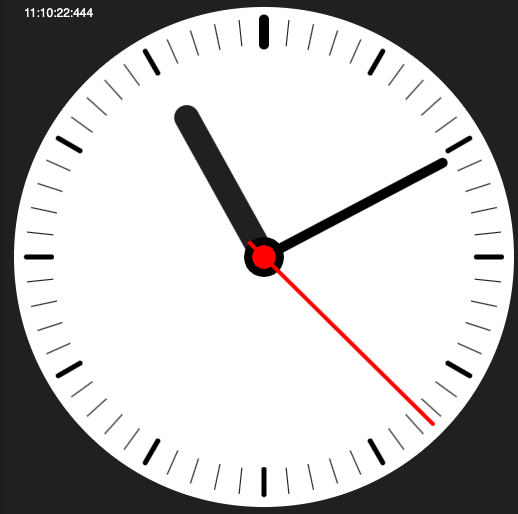
- Most-basic clock template
- Another basic clock with sweep milliseconds (based on Tom’s from the ITP Clock Club Repo)
- Upgraded basic clock has a sweep second hand, and moves the hour and minute hand proportionally (rather than step-wise).
- Sub-basic sketch (but contemplate how framerate plus math equals animation)
Suncalc
- Suncalc template loads the library and demonstrates a few basic queries.
- Day/night length shows the proportion of day and night for various dates
- Suncalc calendar shows a year of day/night data.
Easings and Timelines
- A simple Greensock template with a few easings and a timeline. (Here’s an older leaner version.)
- One of the easing demos included with Func.
- The basics of setTimer and setInterval in JS.
- Related: Interesting notes on how timing functions are implemented in JavaScript, and this discussion of some particulars.
Design studies
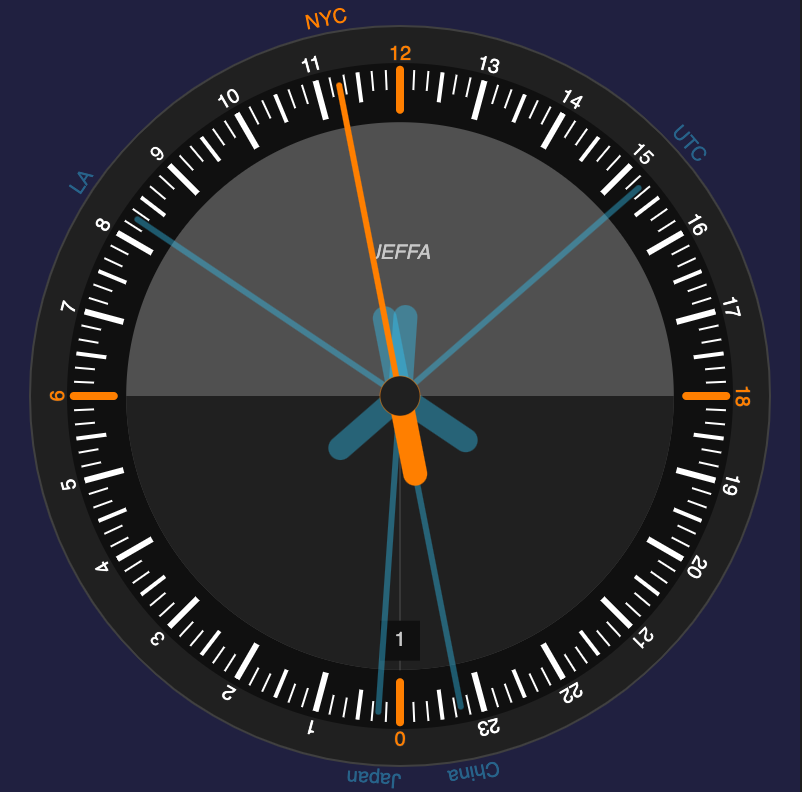
- Design study for a nonlinear clock (that I turned into a mechanical clock)
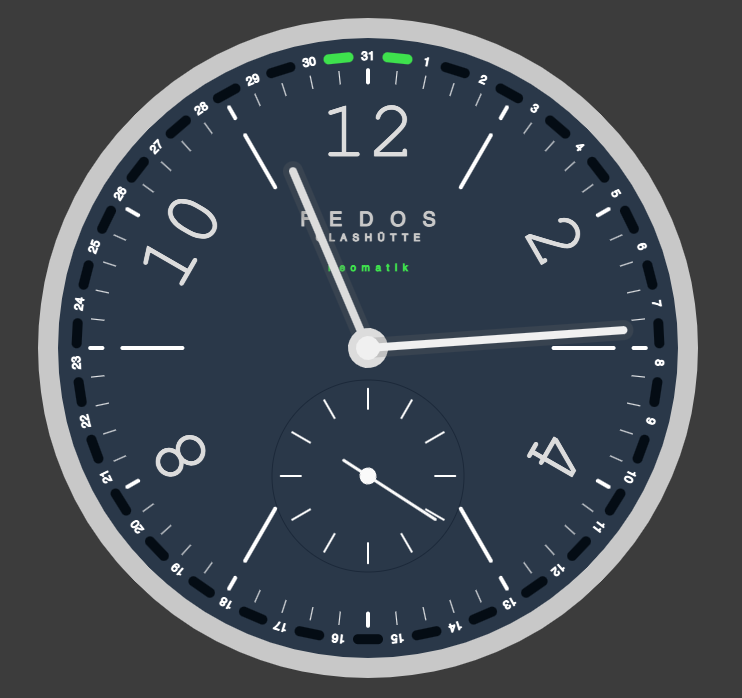
- Design studies of the Nomos Neomatik and Botta Uno 24
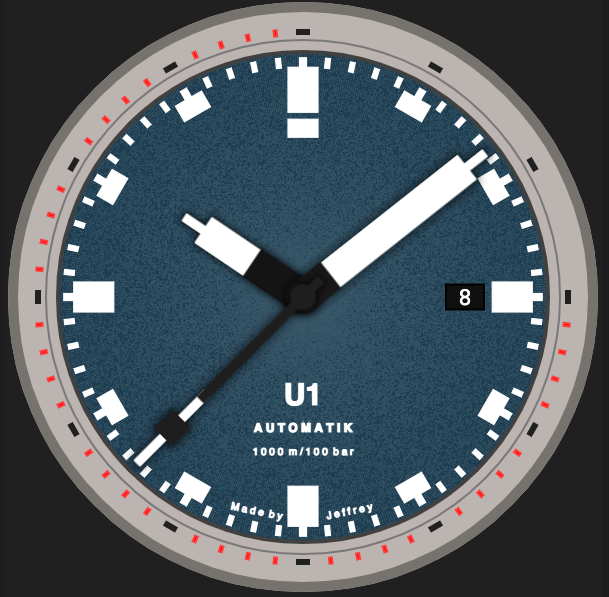
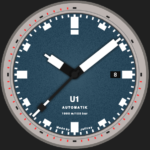
- Design study of the Sinn U1 Automatic
- Japanese Microseasons
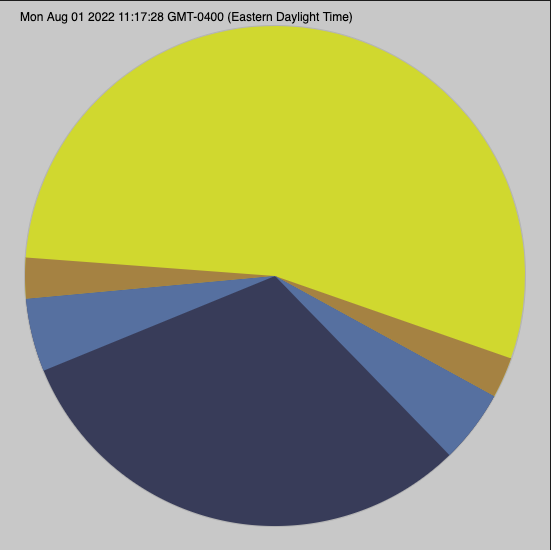
- Polar divisions
- Several design examples pre-render elements. This lets you think about the element (a hand, a dial) algorithmically – what are it’s proportions? Can I make a code gesture that captures its texture? – but since they don’t change, only renders once for faster/lighter performance. Here is just a dial as an example.
Complications
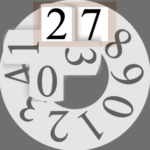
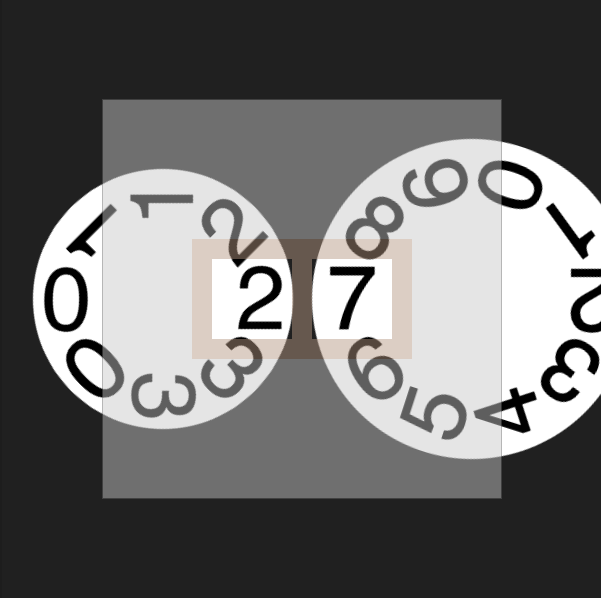
- Two-digit date complication
- Outsize date (version with motion) a la A. Lange & Sohne
- Memento Mori – how many days/weeks/years have I been alive? Out of what reasonable total? Hardly started but foundation is here.
- Moon phase complication.
Arduino animation libraries
A zip of the Arduino code with Ramp and Tasker examples. Demo videos from 2020 (private for class, password is orrery). Ramp, Tasker, Next Level
Libraries
- Greensock: JS, Timelines and Tweens, probably the most fully featured library of its kind. Happily, while it used to conflict with P5js at a low level, recently (as of 2020) that’s no longer the case.
- Func – P5 library from the one and only R. Luke DuBois. Waveform generators and easing functions (no timeline).
- Ani – Java/Processing – Based on Greensock, timelines and tweens. Not currently updating but quite functional.
- Ramp & Tasker – Arduino. Schedule events via Tasker, animate variables with Ramp.
- Arduino Timer – versatile way to set up multiple recurring or scheduled functions.
- This Instructable covers a simple DIY multitasking scheme, and compares it to Real-Time (RTOS) libraries for the Arduino
- Suncalc.js – Provides times and positions of various sun and moon characteristics (sunrise, sunset, twilight, moon phase, etc)
- Astropy – a Python library for calculating absolutely anything related to the solar system.
- I’m looking for a JS library like Astropy. This one might be it, but I haven’t tested it. The basic procedure to calculate planet positions isn’t too complicated – NASA’s JPL publishes tables to the Kepler elementals that determine orbits. Knowing where a planet appears to be from a viewpoint on Earth is a matter of carefully applied trigonometry and keeping your timeframe straight – a little complicated but not deeply so. Doable with a calculator, but being lazy I’d love a library. The credits for JSOrrery are a good source for further information, and this tutorial walks through some of the steps.
Software tools
A library of gears, and Matthias Wandel’s gear software. A possible source for unusual gears (I haven’t used yet). DIY wooden worm gear. A homemade gear cutter.
Gearotic. Bad pun, worse website, but very powerful software for gears and clock making. PC only.
Sundials
- This online sundial tool doesn’t look too good, but is powerful and versatile.
- A horizontal dial generator and one for vertical dials
- More software listed at Sundials.org.
- Several 3D printed projects, including a sundial that projects a changing digital clock.
- Shadows Pro (Windows)
Several online planetaria (acceptable plural) and orreries:
- Stellarium, Suncalc and Mooncalc.
- The Sky Live (versatile object lookup)
- Star Atlas (elegant – since replaced with a much inferior alternative. Bonus points for anyone who can resurrect Star Atlas code)
- Solar System Live (not so elegant, but useful for generating png maps of the solar system on a specific date)
- The Planets Today (astrology tinged, but useful options for viewing the solar system).
- A simulator for the Prague Astronomical Clock. Wolfram research notes on the clock.
- Satellite tracker “Heavens Above“.
Some physical models of same:
- Helios Planetarium (as seen in a Weird Al video, really an orrery, interesting for its patented planar gear mechanism).
- This low tech projector.
- A mechanical paradox.
- Several projects documented on youtube.
- Some flat wall-mounted celestial mechanisms from Sean Gallagher.
- Really high-end sundials from very German firm Helios Sonnenuhren (videos).

Further Topics
Note – I aim to generalize these demos across languages, platforms. Will typically use a mix of microcontroller projects (e.g. Arduino) and desktop languages (e.g. javascript, java). These will form the basis of in-class hands on demos and workshops. If you have a particular interest in something below, or have other ideas of what to include, let me know!
Existing in Time: managing state and animating parameters
- Without Delay
- Low-level timer access
- Interrupt routines
- Callbacks
- Interpolation and animation curves
- (signal synthesis)
- Intro to Real Time Operating Systems (RTOS)
- Finite state machines
- Execution time and Big O notation
Processing time-variant signals
- Filters
- Feedback
- FFT
- Peak detection, peak hold
Time Protocols: talking about time
- NTP
- UTC
- Chrontab
- Unix time, Julian Days
Brainstorming demos and exercises
- Build an electronic oscillator
- Read a quartz crystal on scope
- Decode GPS time string
- Build a mechanical oscillator
- Build an orrery, armillary sphere, sundial, astrolabe, or clepsydra
- Use relativity equations to calculate length contraction / time dilation
- Dissect a quartz clock
- Design your personal clock face
- Make a game about time
- Calculate death date based on life expectancy and birthday
- Write timeline for next 100/1K/10K/100K years
Time Code Links
Over the years I’ve accumulated about a thousand time-related bookmarks. In 2026, I used Claude Cowork to scan the links, eliminate duplicates and dead ends, and place the remainder in organized categories following the six sections of the syllabus. These are from that process. While I found all these links originally, I haven’t reopened each link to see how Claude did… Spot checking so far seems like this is a valuable improvement, so I’m sharing on the syllabus.
General
- GearClock — A hobbyist’s build log for a PIC-microcontroller-driven gear clock that steps a stepper motor every three minutes through transistor drivers.
- Laser-Cut Gear Clock with ChronoDot — A step-by-step build of an Arduino-and-stepper-motor gear clock, covering Inkscape gear design, laser cutting, and ChronoDot RTC timekeeping.
- Software pedalSHIELD DUE Forum — A community forum where builders troubleshoot and share code for the pedalSHIELD DUE, an open-source Arduino-based guitar effects pedal you program yourself.
- 80 Time APIs — A directory of dozens of web APIs for fetching time zones, world clocks, NTP data, and date/time conversions in your own code.
- Filtering Noisy Arduino Measurements — Walks through three practical noise-filtering techniques — running average, exponential, and median filters — for cleaning up jittery sensor readings.
- Game State Management Techniques — A Stack Exchange thread comparing approaches, like state stacks and state machines, for cleanly handling menus, pause screens, and gameplay states in a game loop.
- Managing Game States in C++ — A classic tutorial that builds a stack-based state-manager class so intro, menu, and play screens can push, pop, and pause cleanly instead of tangling into one big loop.
- A Beginner’s Guide to Big O Notation — Explains how to read O(1), O(N), O(N²), O(2^N), and O(log N) with short code examples showing why an algorithm’s growth rate matters.
- NMEA Data — Reference for the NMEA 0183 sentence format that GPS receivers use to output position, time, and satellite data over serial.
- SpaceCenter API (kRPC) — Python API docs for kRPC, a Kerbal Space Program mod that lets external code control vessels, orbits, and time warp in real time.
- PeasyCam.java Source — Source for PeasyCam, a Processing library that gives any sketch a smooth, mouse-driven orbiting camera with damped drag, pan, and zoom.
- What Is Code? — Paul Ford’s sprawling, famous Bloomberg essay unpacking what code, programmers, and the software industry actually are, written for a non-technical audience.
- JavaScript Timers (MDN Archive) — Archived MDN reference on setTimeout, setInterval, and clearing them to schedule delayed or repeating code.
- Animating with Robert Penner’s Easing Functions — Shows how to wire Robert Penner’s classic easing equations into a requestAnimationFrame loop by converting duration into iteration counts for natural-feeling motion.
- Time-Lapse Photography With a Pi — Tom Igoe’s recipe for shooting Pi-based time-lapses with raspistill or fswebcam, automating capture via cron, and stitching frames into video with ffmpeg.
- ngrok — A tool that opens a secure public URL straight to a server running on your own laptop, handy for testing webhooks or sharing a local project instantly.
- MultipleBlinks (Arduino Tutorial) — Official Arduino example showing how to blink several LEDs on independent schedules using millis() instead of delay(), the standard pattern for non-blocking timing.
- TSL: CW&T Time Since Launch — Open-source PCB and firmware for a clock that counts up elapsed time since a pin is pulled, engineered to run for decades on two AA batteries.
- bigjosh (Josh Levine) — GitHub profile of the hardware/firmware hacker behind the Time Since Launch clock, NeoPixel demo code, and dozens of other low-power embedded projects.
- WiFiMDNSResponder.h — Header for a minimal mDNS responder class, ported from Adafruit’s CC3000 code, that lets a WiFi101 shield answer to a friendly “name.local” address on the network.
- WiFi101 & WiFiNINA Examples (Tom Igoe) — A ready-to-run library of Arduino sketches for MKR1000/1010 and Nano 33 IoT boards covering WiFi connections, HTTP clients/servers, TCP/UDP sockets, and OSC messaging.
- Decoding WWVB from a Sony Atomic Clock — A teardown of a cheap consumer radio-controlled clock that shows how to tap its antenna module for the raw 60kHz WWVB time-code signal and reverse-engineer its bit timing.
- A Digital Quartz Clock From Scratch — A build log for a clock made entirely of 74xx logic chips with no microcontroller, walking through BCD counters, button debouncing, and swapping a failing crystal oscillator for a MEMS chip.
- Behind the Canvas: Making of “60 Billion Lights” — An engineering breakdown of a kinetic canvas artwork driven by 120 silent automotive stepper motors and a networked microcontroller board to display time, weather, or text.
- Temporal API Cookbook (TC39) — A set of copy-pasteable recipes for JavaScript’s new Temporal API, showing how to handle dates, time zones, and durations correctly in place of the old, error-prone Date object.
- p5play (now q5play) — A physics-powered 2D game engine built on top of p5.js for making sprites, collisions, and game logic easy; the project has since been superseded by its faster sequel, q5play.
- ChatGPT Writes the Same Routine in 12 Languages — A hands-on writeup comparing how ChatGPT translates one simple program across a dozen languages, exposing where the AI’s code succeeds, fails, or reveals quirks of each language.
- forceCenter.strength (D3 / Observable) — An interactive notebook that lets you drag a slider to see how D3’s centering force pulls simulated nodes toward a point at different strengths.
- demoor-orrery/DMO — Open-source Python code, PCB gerbers, and 3D-printable STL files for building a Raspberry Pi–driven mechanical orrery that models planetary motion.
- C++ <chrono> Header Reference — The reference documentation for C++’s standard time library, covering clocks, durations, and time points used to measure and manipulate time in C++ code.
- eptaora ATtiny84 Stepper Driver — Firmware source for a dual-stepper-motor driver built around the ATtiny84 microcontroller, originally written for the eptaora kinetic clock project.
- Analog Comparator Interrupt (Arduino Forum) — A forum thread with working register-level AVR code that triggers an interrupt directly from the chip’s built-in analog comparator instead of polling a pin.
- Fusion360Image2Surface — A Fusion 360 add-in that converts a grayscale heightmap image into a 3D surface mesh, ready for CNC milling or 3D printing.
- Porting Arduino Drivers to Daisy — A forum discussion explaining why Arduino sensor/driver libraries don’t port cleanly to the Daisy audio platform and why writing directly against libDaisy works better.
- AI Image Generator (DeepAI) — A free, no-signup browser tool that turns a written text prompt into a generated image using an AI model.
- For Algorithms, a Little Memory Outweighs a Lot of Time — A feature on a theoretical computer science breakthrough showing that giving an algorithm just a little extra memory can save enormous amounts of computing time.
Arduino Timing & Interrupts
- A Classy Solution — Multi-Tasking the Arduino, Part 1 — Shows how to wrap millis()-based blink-without-delay code into a reusable C++ Flasher class so you can run many independently-timed events without duplicating logic.
- SimpleKalmanFilter — A lightweight Kalman filter library for smoothing noisy single-value sensor streams like temperature, barometric, or accelerometer readings.
- Timing Category — Arduino Libraries Directory — A browsable index of Arduino libraries built specifically for scheduling, timers, and timekeeping tasks.
- wiring.c — ArduinoCore-avr Source — The actual AVR core source implementing millis(), micros(), delay(), and delayMicroseconds() via Timer0 overflow interrupts — the code behind every Arduino timing call.
- MsTimer2 and FlexiTimer2 Libraries — Lets a function run automatically at a fixed (or configurable) millisecond interval via a hardware timer interrupt, so you don’t have to poll millis() in loop().
- Timer Interrupts — Multi-Tasking the Arduino, Part 2 — Demonstrates configuring Timer0’s compare-match registers (OCR0A/TIMSK0) directly to fire an interrupt every millisecond, freeing up an empty loop().
- Arduino Timer Interrupts — Walks through setting Clear-Timer-on-Compare (CTC) mode registers by hand to trigger precisely-timed interrupts independent of whatever else the code is doing.
- Using Interrupts on Teensy, with C Language — Explains AVR interrupt fundamentals — flag/mask bits, the ISR() macro, volatile shared variables, and cli()/sei() — for writing your own low-level interrupt handlers.
- digitalWriteFast — A macro-based library that replaces digitalWrite()/pinMode()/digitalRead() with direct port manipulation, cutting pin-toggle time from about 6280ns to 125ns for timing-critical code.
- About AVR 8-bit Microcontroller Interrupts — A from-scratch primer on AVR interrupt vectors, flag and enable bits, and the exact hardware sequence followed when an interrupt fires.
- TimeLord — Computes sunrise/sunset, moon phase, sidereal time, and daylight-saving transitions from date and lat/lon input, with no RTC chip required.
- arduino_planet_ephi_positions — A sketch that calculates real-time planetary ephemeris positions (azimuth, altitude, distance) from UTC time and GPS coordinates using Kepler’s equation.
- mobifu1 (Andreas Jahnke) — GitHub Profile — Author page for a hobbyist whose repos include a GPS-synced analog clock, a TFT planetarium display, and the planet-position calculator above.
- Teensyduino: Using Arduino Libraries with Teensy — A master compatibility table showing which popular Arduino libraries — including several timing and scheduling ones — work on each Teensy board.
- Delay and Timing Functions — PJRC (Teensy) — A comparison chart of Teensy’s timing options (delay, millis/micros, elapsedMillis, IntervalTimer) laying out the tradeoffs and gotchas of each.
- DeepSleepScheduler — A cooperative task scheduler that runs delayed or repeated callbacks while putting AVR/ESP32 chips into low-power sleep between tasks, with watchdog-based task supervision.
- Smoothly Changing a Timer’s Frequency on the Arduino Zero — Documents how to retune a SAM D21 hardware timer’s frequency live via a potentiometer without glitches, by remapping the counter’s position when the compare register changes.
- Arduino: How to Create Two or More Tones Simultaneously on a Piezo Buzzer? — A developer Q&A on generating multiple simultaneous tones from one buzzer, since Arduino’s built-in tone() function can only drive one frequency at a time.
JavaScript & Web Time APIs
- cron(8) Linux Manual Page — Documents the crond daemon that reads crontab files and fires scheduled jobs at set times, including how it handles daylight-saving shifts and clustered hosts.
- RTC — Arduino Reference — Covers the RTCZero library for reading, setting, and waking a SAMD-based Arduino from alarms using its onboard real-time clock.
- Time: Arduino Time Library — Adds hour(), minute(), day(), and now() style timekeeping functions to Arduino sketches, with sync support from an RTC, NTP, GPS, or serial source.
- performance.now() — Returns a monotonic, sub-millisecond timestamp for measuring elapsed code execution time without the risk of system-clock jumps.
- Demystifying DateTime Manipulation in JavaScript — Walks through the quirks of JavaScript’s native Date object and shows how libraries like Moment.js smooth over parsing, formatting, and timezone headaches.
- DOMHighResTimeStamp — Defines the double-precision millisecond timestamp type used across the Performance API, accurate to microseconds in isolated browsing contexts.
- Astro.js — A modular JavaScript library, inspired by Python’s astropy, for astronomical math like coordinate conversions and Julian date calculations.
- astronomy topic (JavaScript) — GitHub Topics — A browsable, sortable index of hundreds of open-source JavaScript astronomy projects, from solar-system simulators to ephemeris calculators.
- Temporal: Getting Started with JavaScript’s New Date/Time API — A hands-on walkthrough of the Temporal proposal’s Instant, ZonedDateTime, PlainDate, and Duration classes with real code for timezone-safe date arithmetic.
- Temporal Documentation — TC39 — The official reference for the Temporal proposal, detailing its class hierarchy and how it fixes Date’s longstanding timezone, DST, and parsing problems.
Easing Functions
- Animation on the Arduino with Easing Functions — Ports Robert Penner’s easing equations to AVR C++ as a class library (BackEase, BounceEase, etc.) for smooth accelerate/decelerate motion on Arduino displays and PWM outputs.
- Easing Functions Cheat Sheet — An interactive visual reference of standard easing curves with live graphs and ready-to-copy JavaScript and CSS cubic-bezier code for each.
- Robert Penner’s Easing Functions — The original source collection of Penner’s foundational easing equations, with links to ports in JavaScript, ActionScript, C, Java, Lua, and more.
- Understanding Easing: Explaining Penner’s Equations — Breaks down the math behind Robert Penner’s easing equations in plain terms for JavaScript and ActionScript developers.